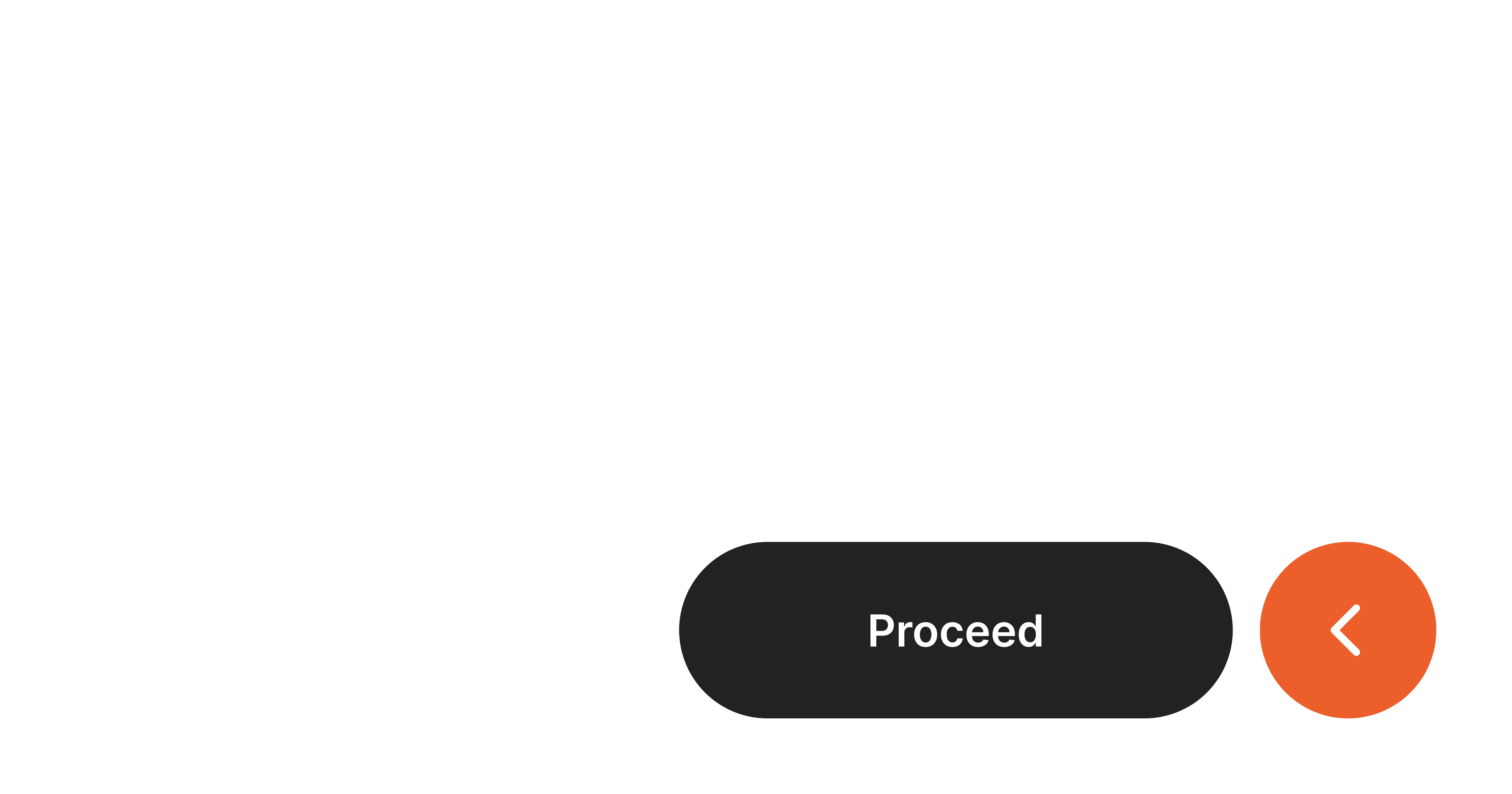
1.2 Button Press Feedback

Level 1

10 Steps

What you are building

A button that visually responds when pressed and released.


On touch down, the button reacts immediately.
On touch up, it returns to normal and completes the action.


This is what makes buttons feel responsive and physical in iOS.

How to think about it

A button press is not a single moment.

It has a beginning and an end.


Touch down acknowledges the finger.
Touch up completes the action.


Good interfaces respect both.

Recreate this in ProtoPie

Start by creating two layers:

  • Button: the base shape

  • Label: the text inside the button


The Button reacts visually.
The Label maintains contrast and clarity.
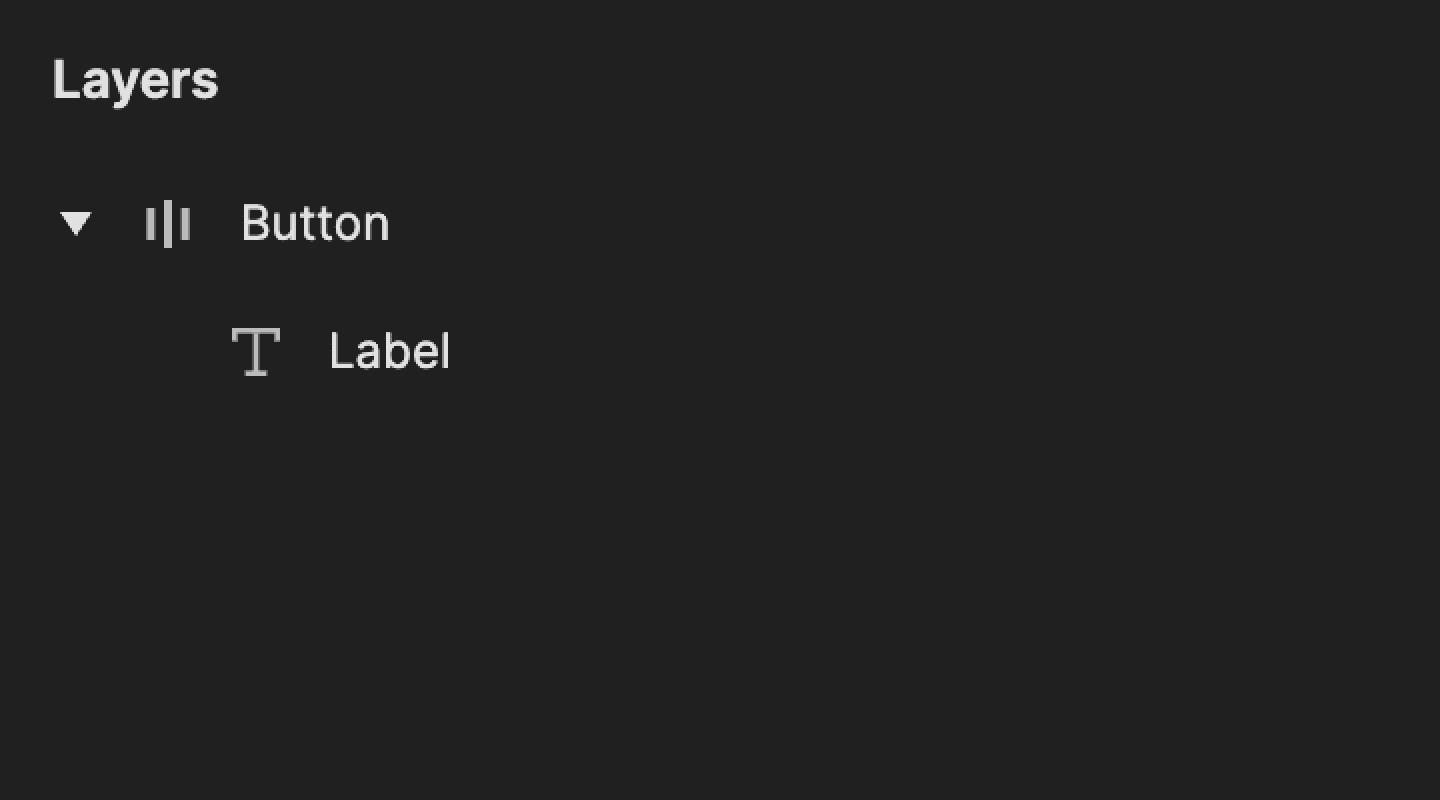
This is a screenshot of layers in ProtoPie.

Step 1: Add touch down trigger

Select the Button layer.

Add a Touch Down trigger.


This fires the moment the finger touches the button.
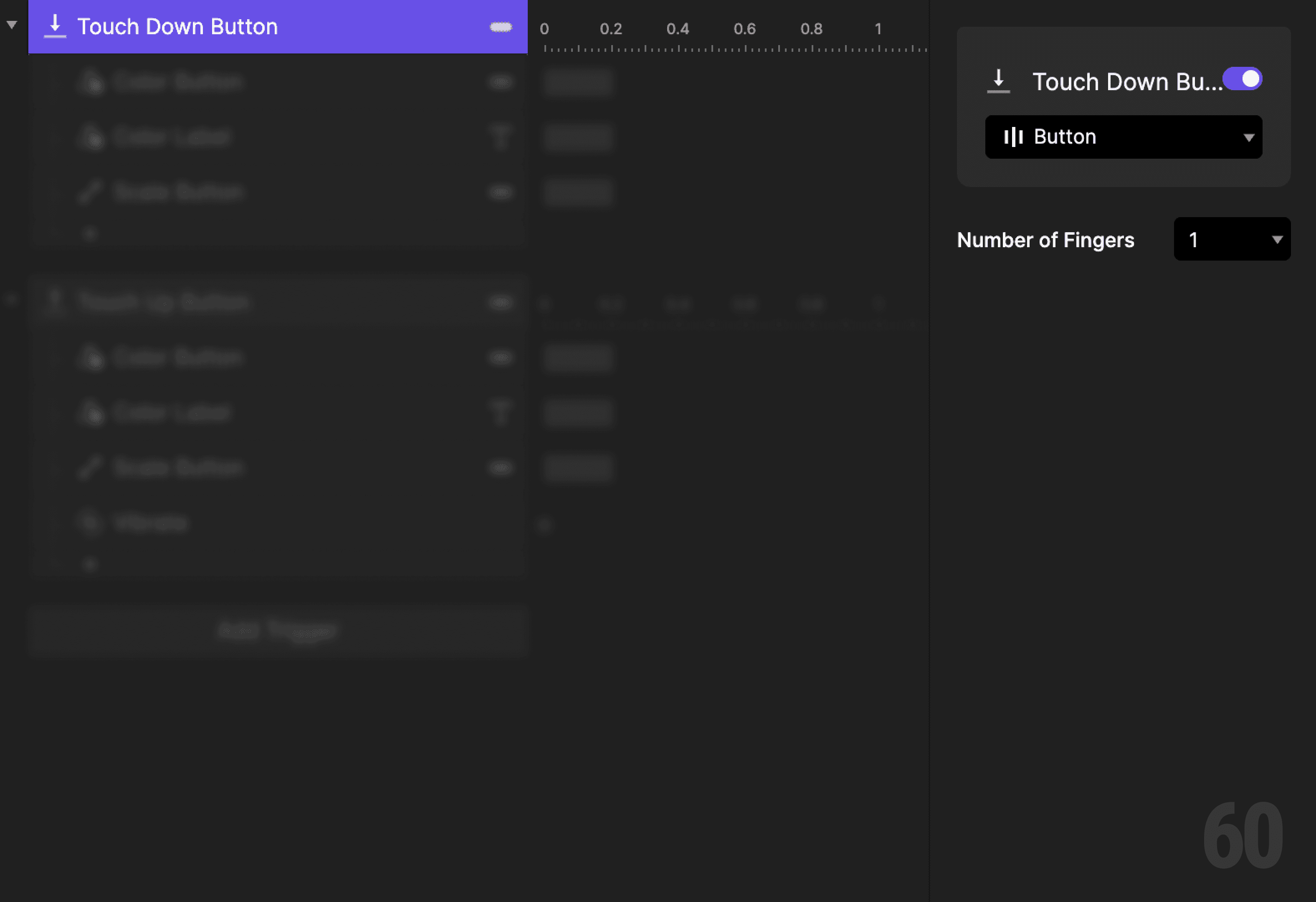
This is a screenshot of Step 1: Add touch down trigger.

Step 2: Change button color on press

Add a Color response.

  • Target: Button

  • Set the fill to an active or pressed color


This visually acknowledges the press.
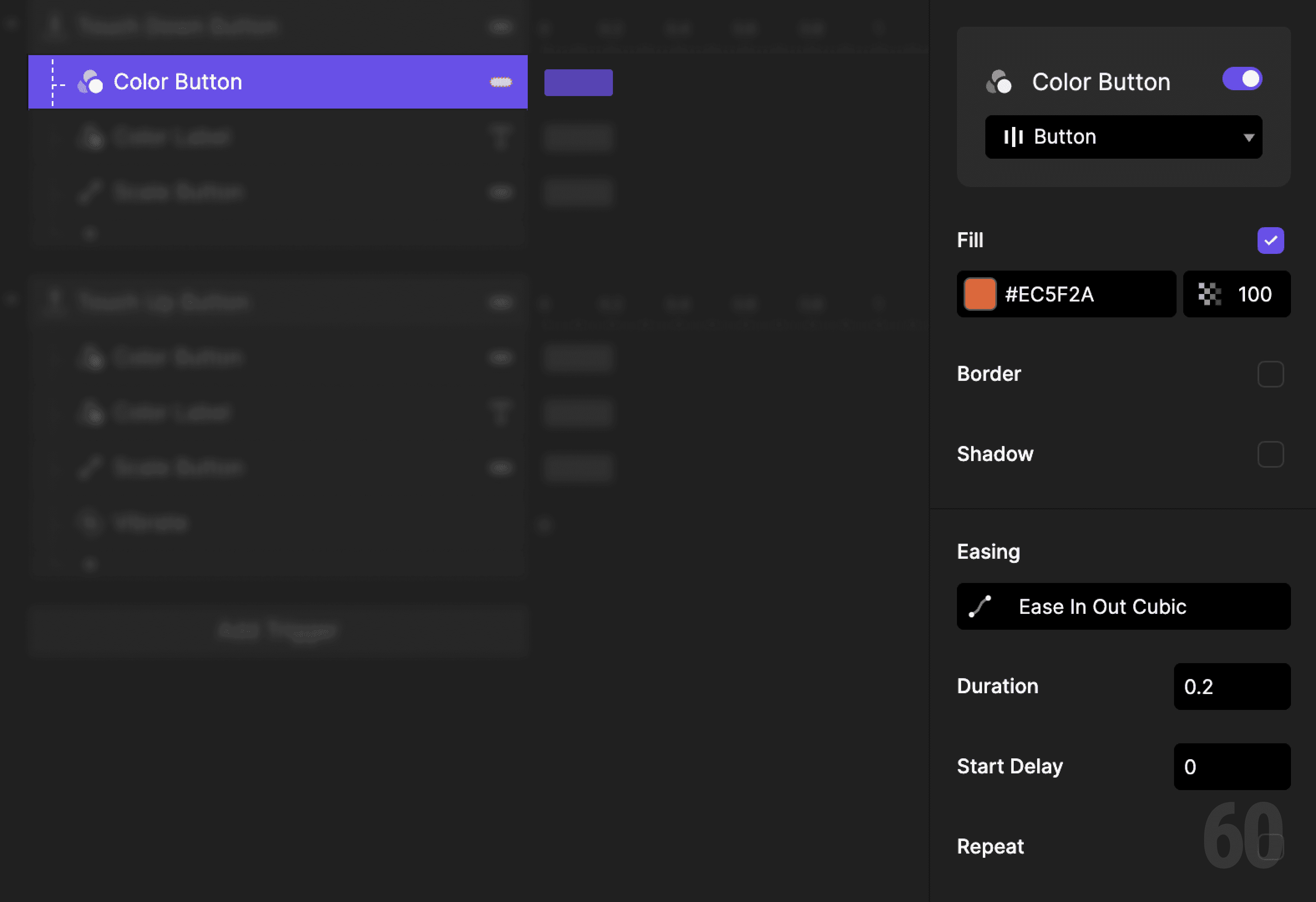
This is a screenshot of Step 2: Change button color on press.

Step 3: Update label color

Add another Color response.

  • Target: Label

  • Set the fill to a color with good contrast


This keeps the label readable during the press state.
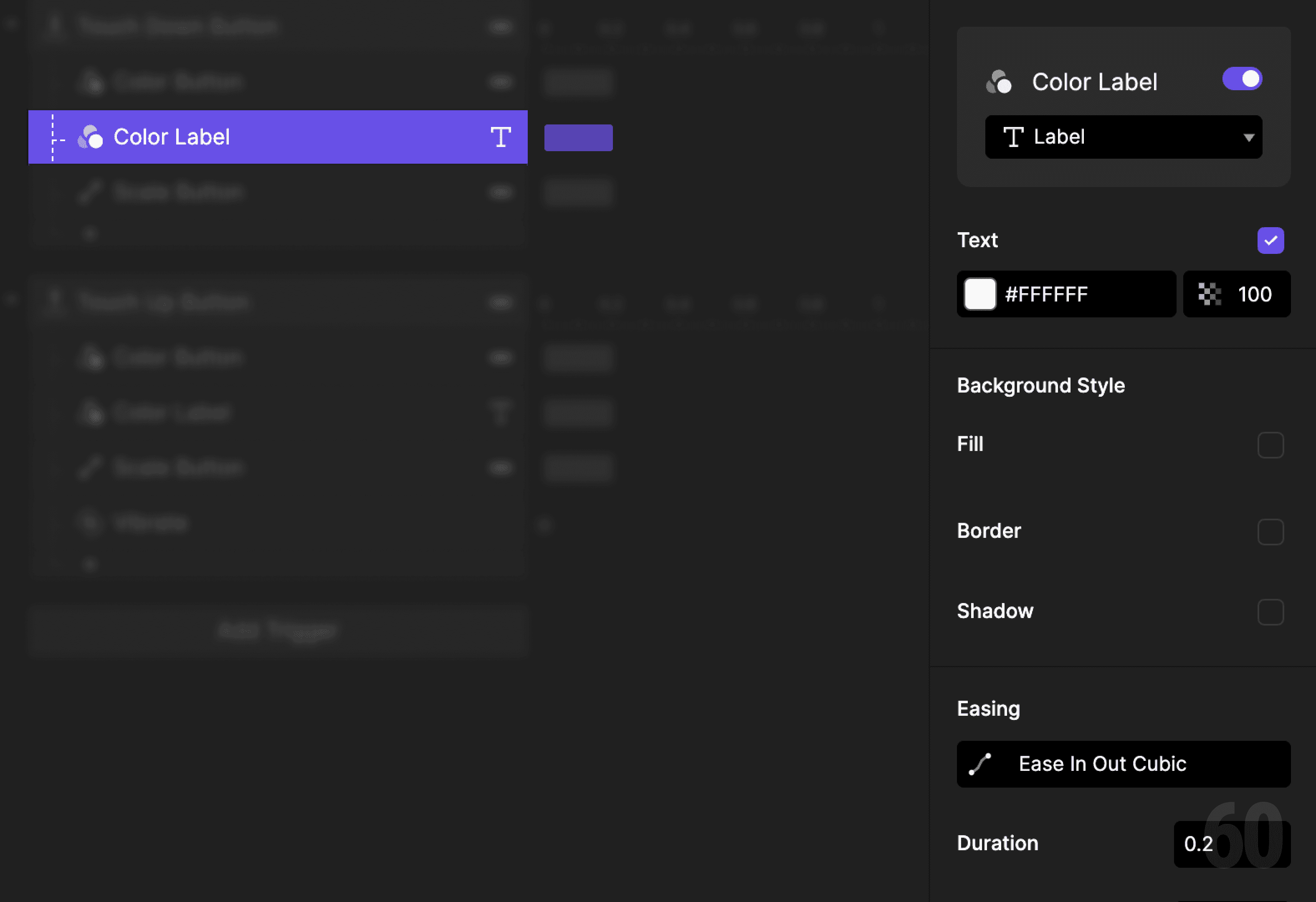
This is a screenshot of Step 3: Update label color.

Step 4: Scale the button down

Add a Scale response.

  • Target: Button

  • Set scale by Factor

  • Set X and Y to 96


This gives the button a subtle physical press feel.
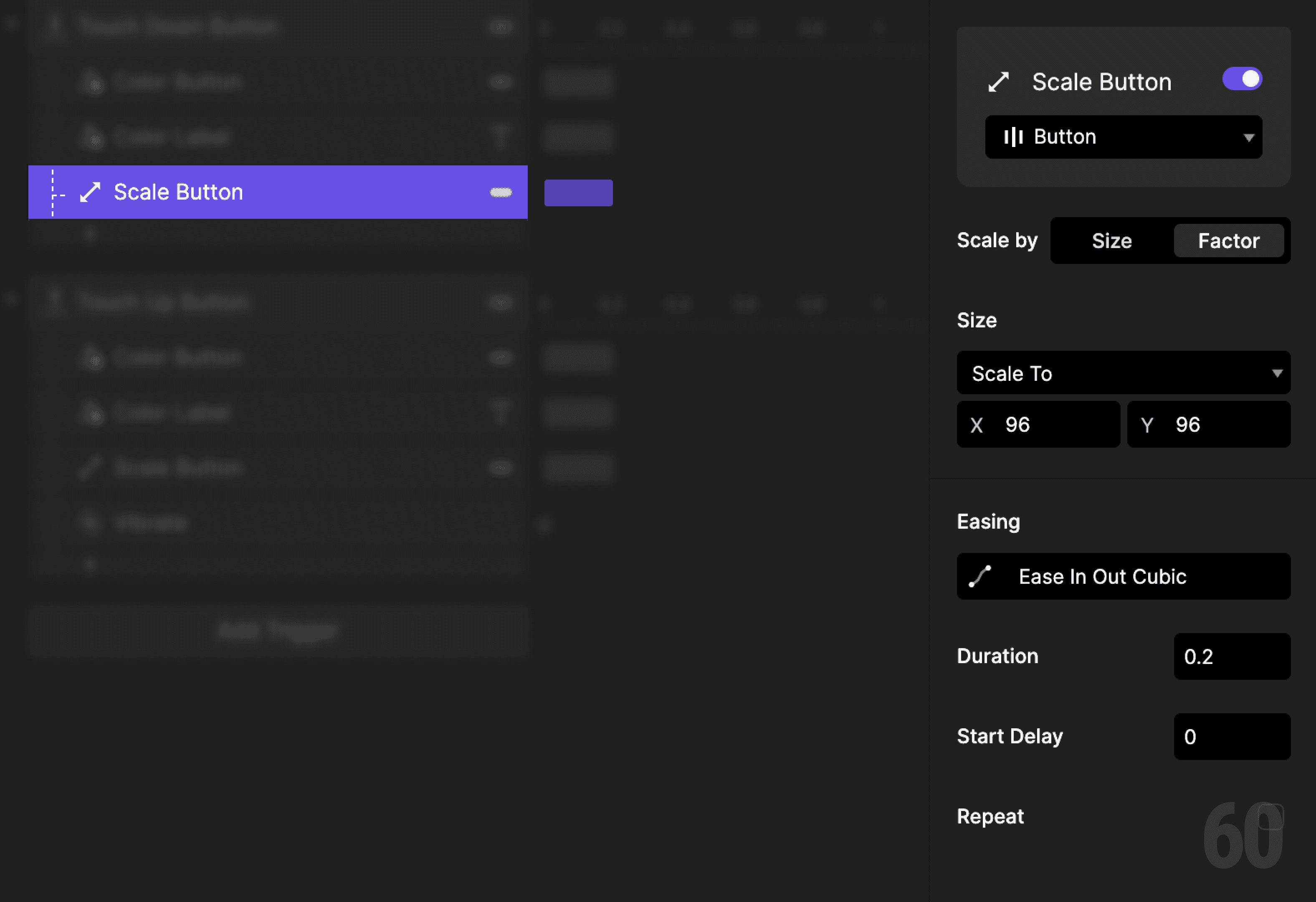
This is a screenshot of Step 4: Scale the button down.

Step 5: Add touch up trigger

Add a Touch Up trigger to the Button layer.

This fires when the finger is released.
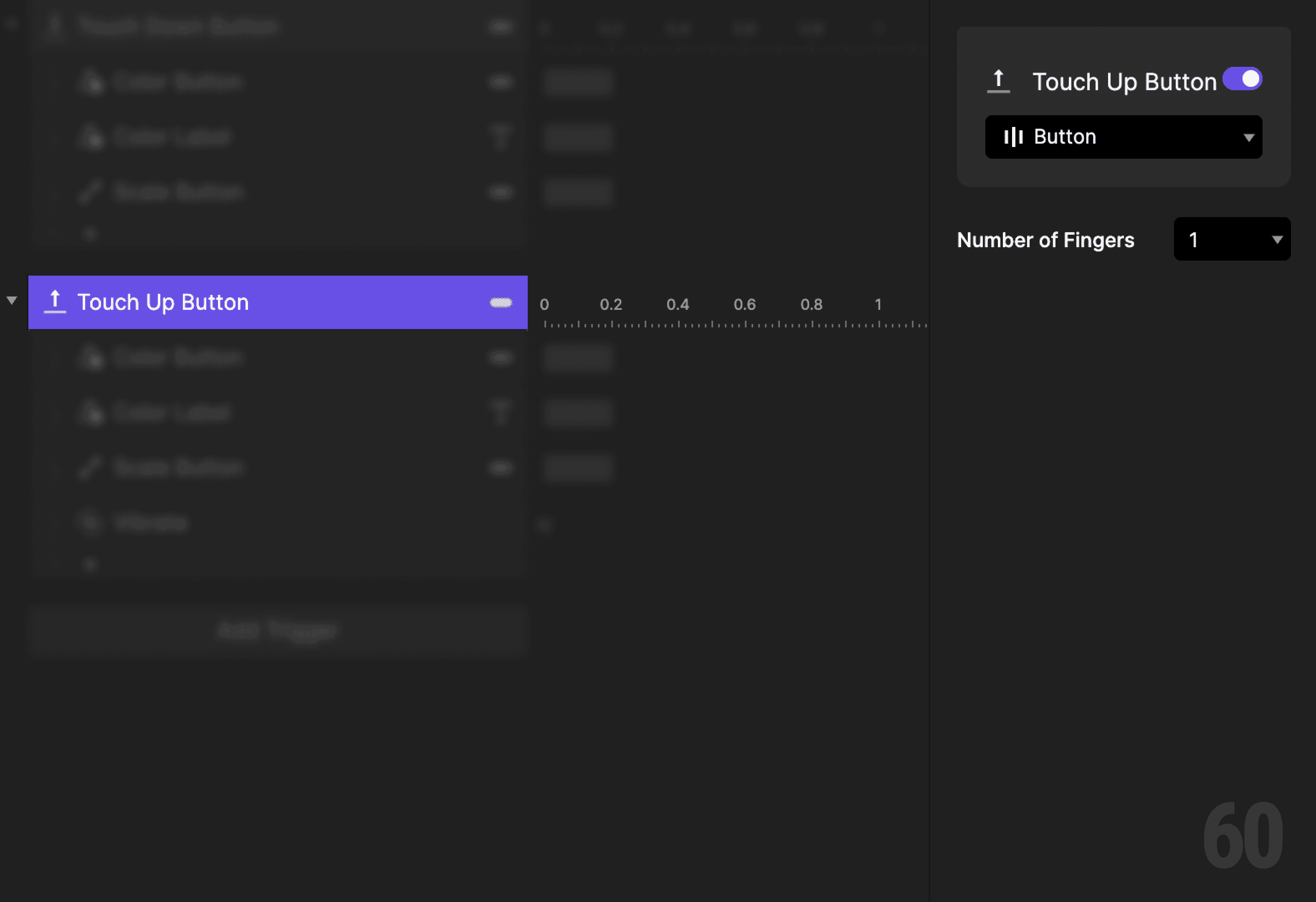
This is a screenshot of Step 5: Add touch up trigger.

Step 6: Reset button color

Add a Color response.

  • Target: Button

  • Set the fill back to the default color


This restores the button’s original state.
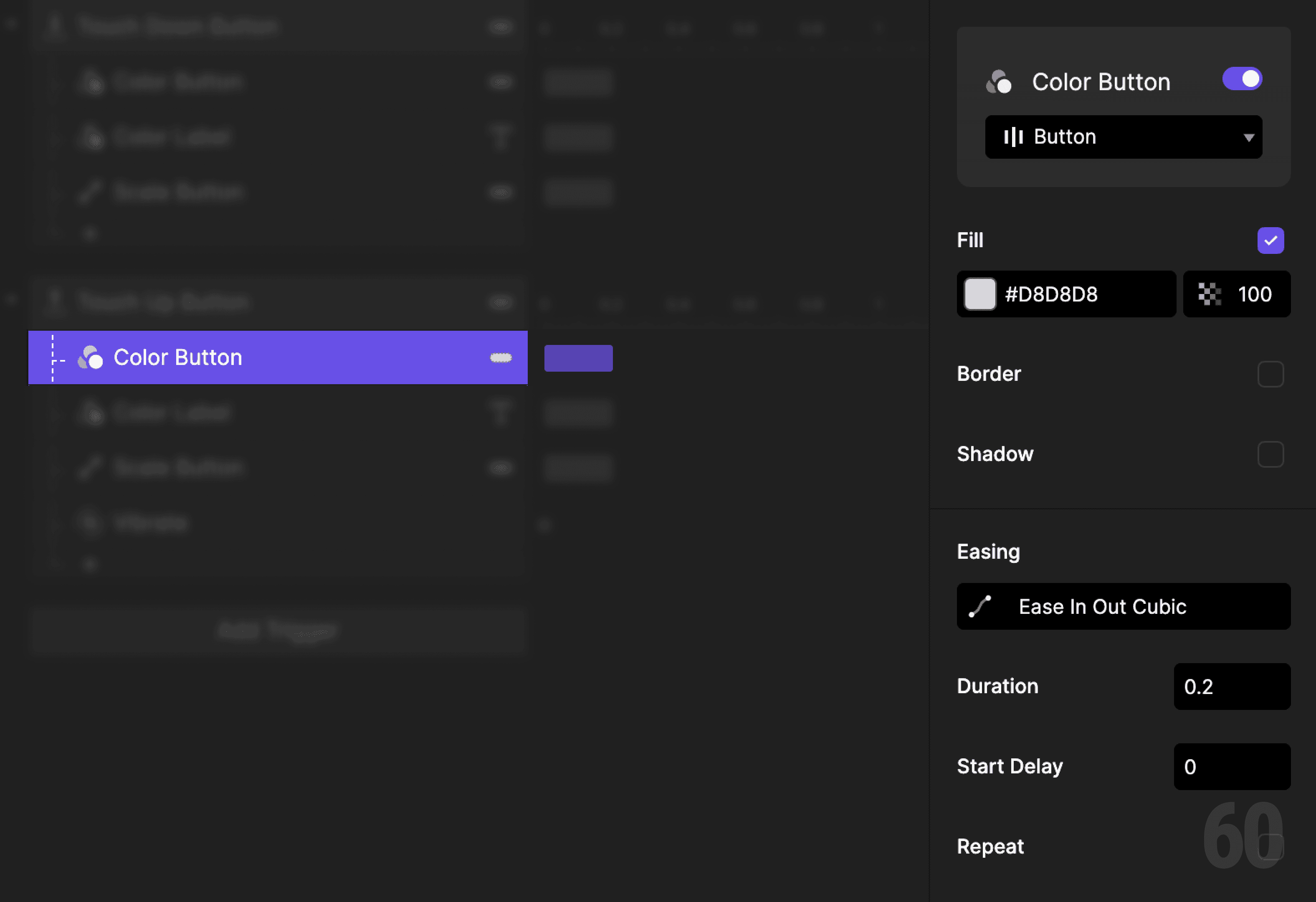
This is a screenshot of Step 6: Reset button color.

Step 7: Reset label color

Add another Color response.

  • Target: Label

  • Set the fill back to the default color


This keeps visual consistency.
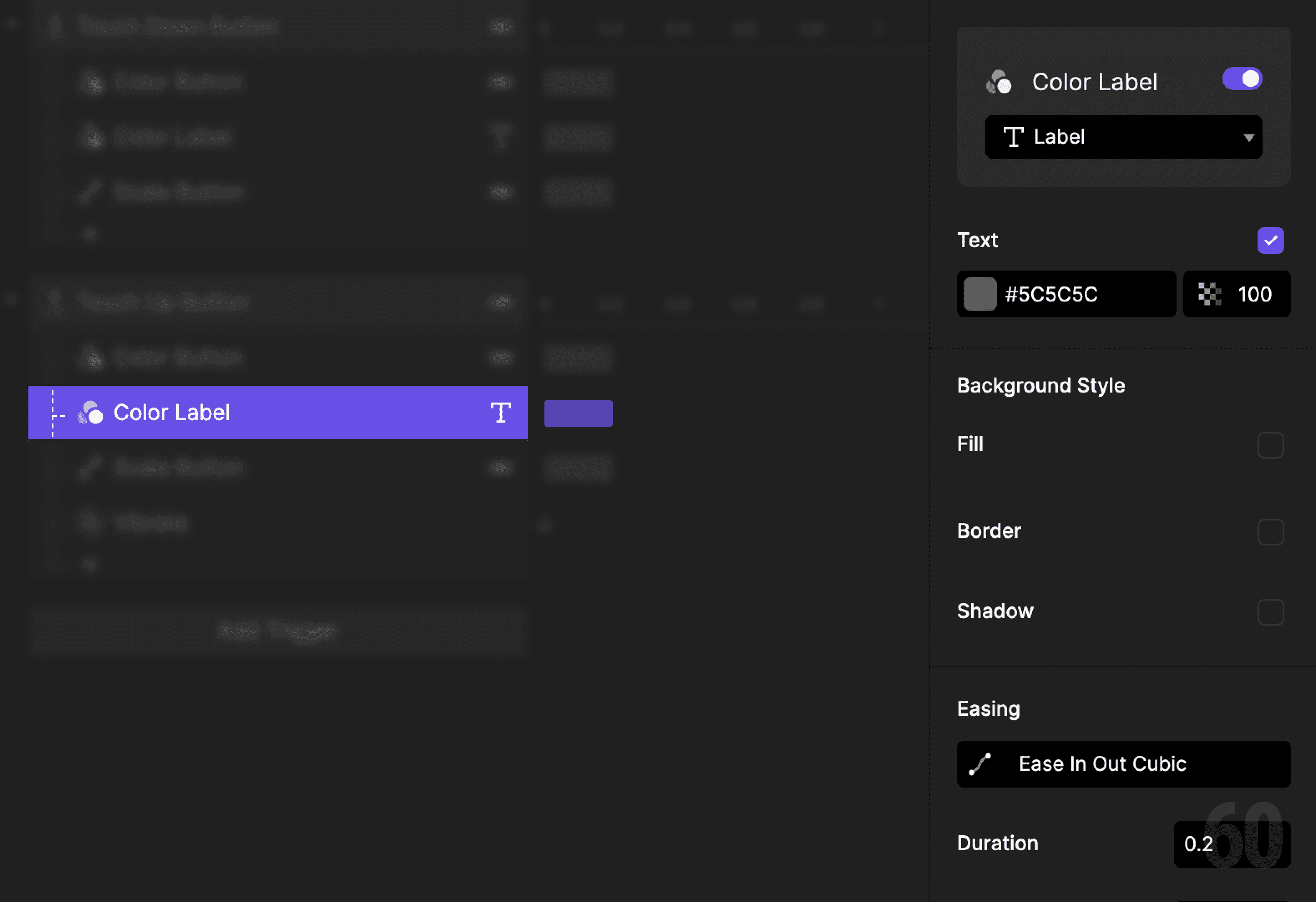
This is a screenshot of Step 7: Reset label color.

Step 8: Scale the button back

Add a Scale response.

  • Target: Button

  • Reset scale to default


Use the same duration and easing for symmetry.
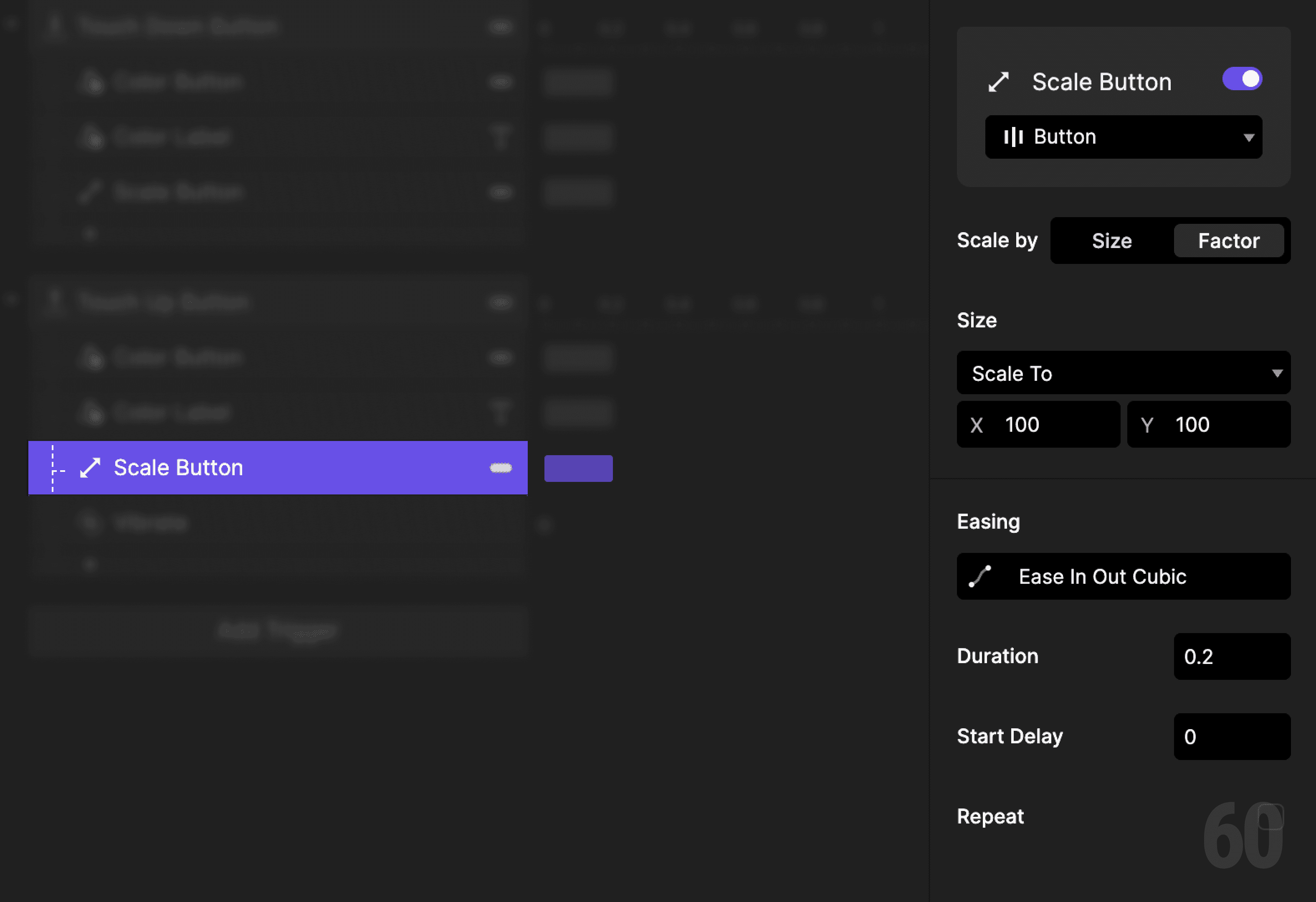
This is a screenshot of Step 8: Scale the button back.

Step 9: Add haptic feedback

Add a Vibrate response.

Keep it subtle. This confirms the interaction without distraction.
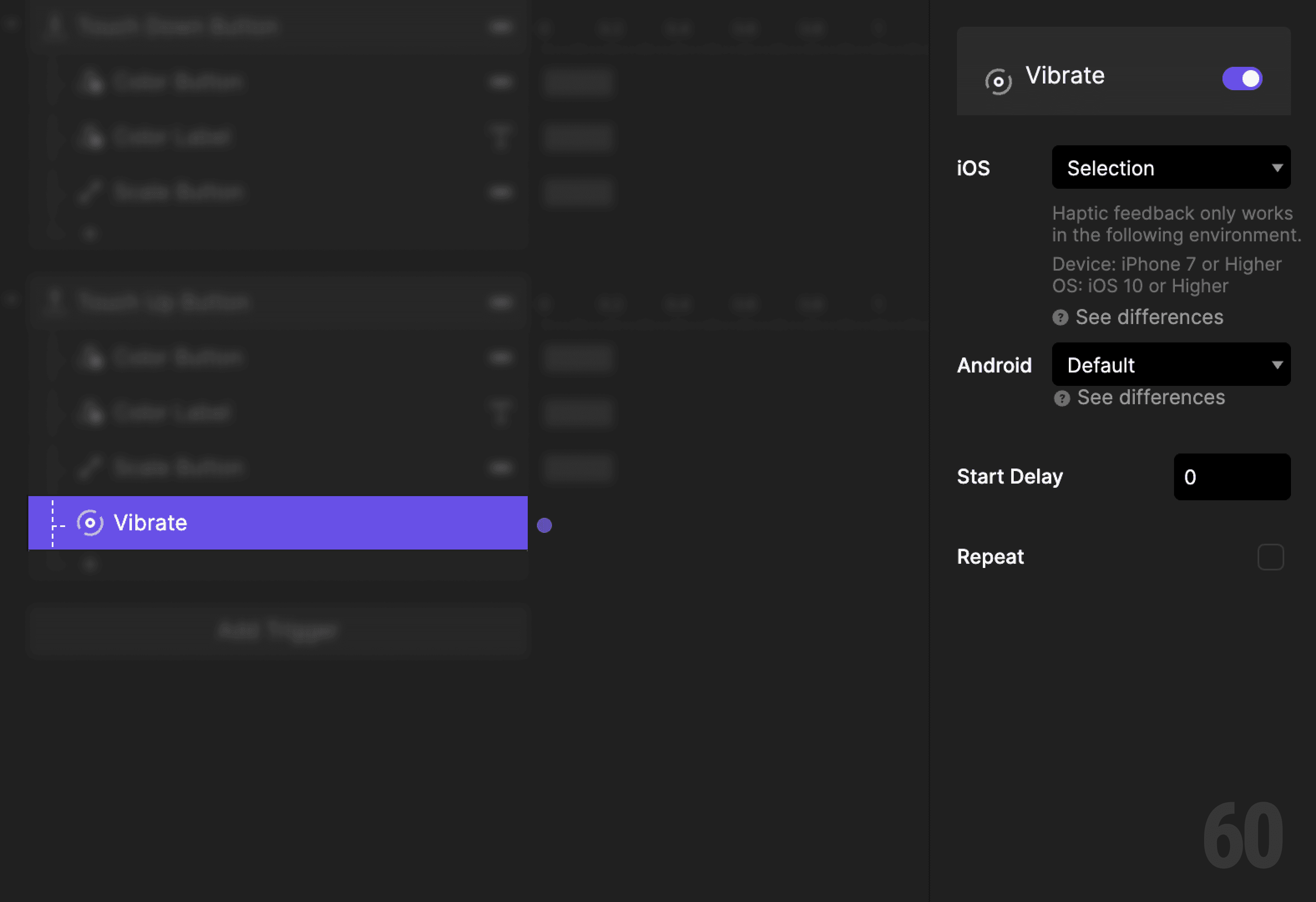
This is a screenshot of Step 9: Add haptic feedback.

Step 10: Preview and test

Press and release the button repeatedly.

Check for:

  • Immediate feedback on touch down

  • Clean return on touch up

  • Clear visual contrast throughout


If the button feels alive, it is working.

Try this next

  • Change scale amount and compare feel

  • Add easing differences between down and up

  • Trigger navigation on touch up

Up next

Simple screen transition. Turning button actions into navigation.

This is a background image of 1.3 Simple Screen Transition.

Simple Screen Transition

Simple Screen Transition

1.3